All articles
Guides 2026-07-28 5 min read

How to Use ColibriSwap Private Send: A Step-by-Step Guide

Traditional blockchain transfers create a permanent public link between sender and recipient. ColibriSwap Private Send breaks that link — here is exactly how to use it.

CT
By ColibriSwap Team

Traditional blockchain transfers can create a permanent public link between the sender and recipient wallets. ColibriSwap Private Send provides a simple way to transfer crypto while reducing that direct on-chain connection.

    Step 1

    Start a private transfer

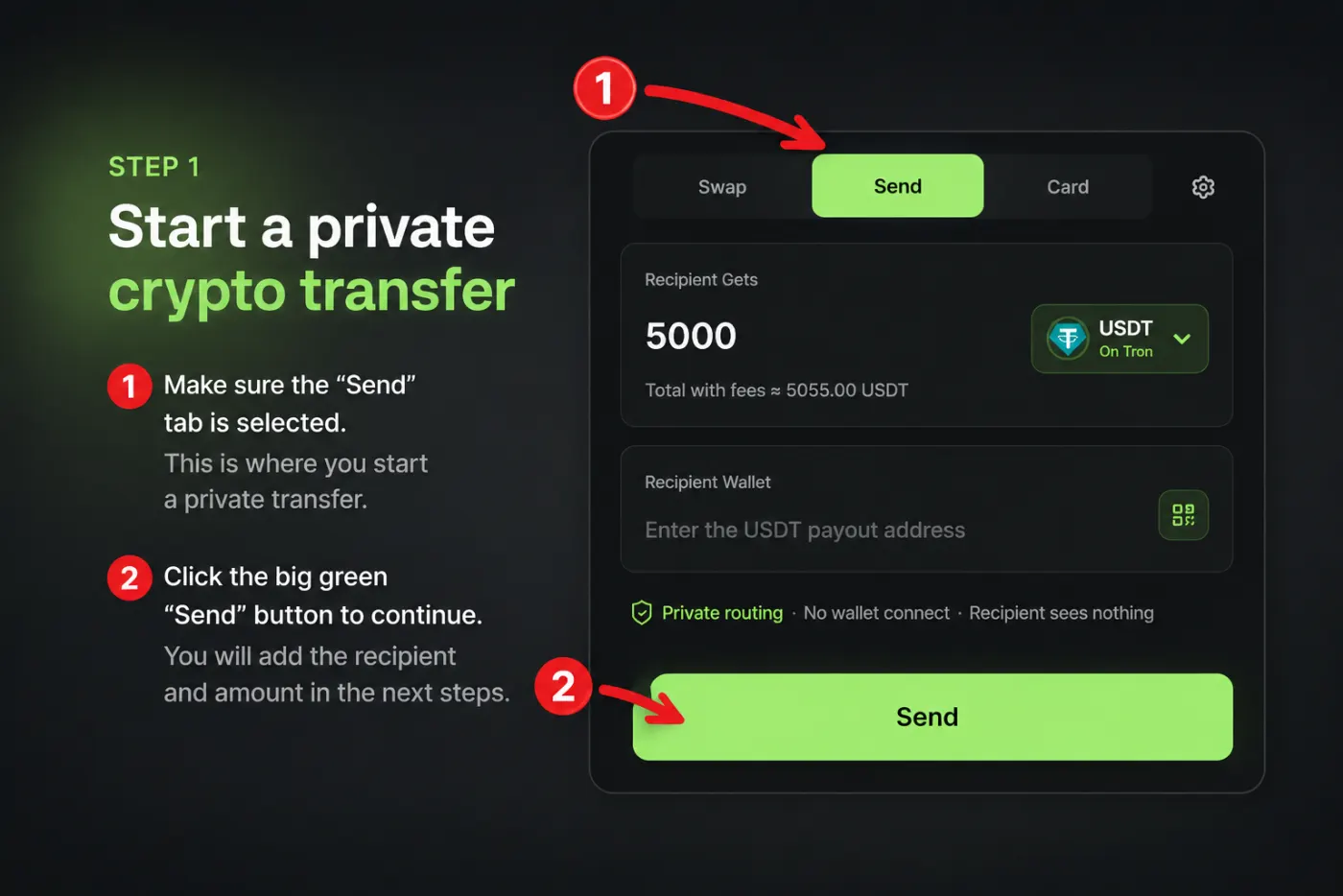
    Open ColibriSwap and select the Send tab at the top of the app. Click the large green Send button to open the private transfer form.Step 1: Select the Send tab and click the green Send button
    Step 2

    Enter the transfer details

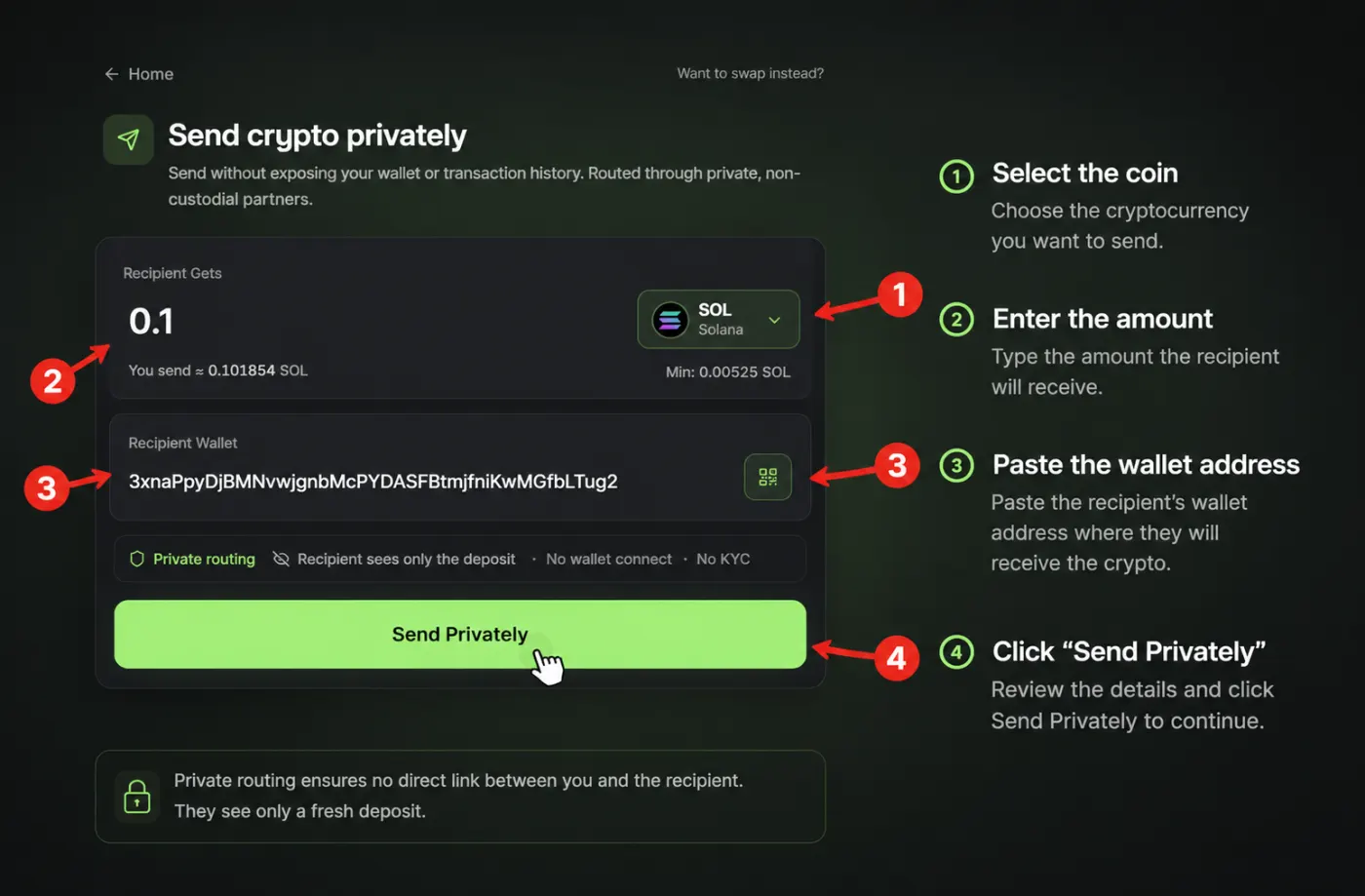
    Select the cryptocurrency and network you want to use, enter the amount the recipient should receive, and paste the recipient's wallet address. Review the information and click Send Privately. ColibriSwap will calculate the required deposit amount based on how much the recipient should receive.Step 2: Choose coin, enter amount, and paste the recipient wallet address
    Step 3

    Send the required funds

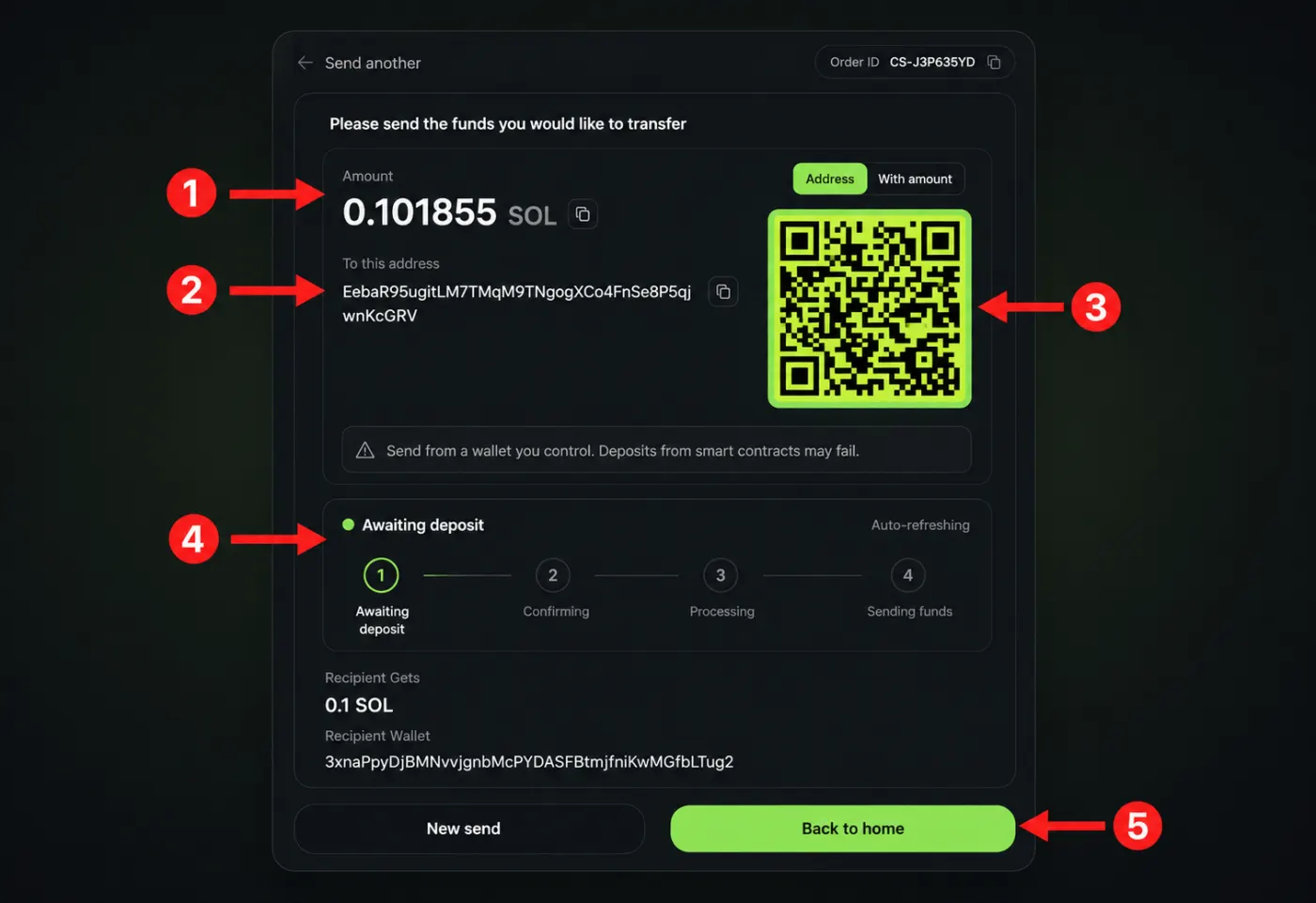
    ColibriSwap generates a unique deposit address and shows the exact amount to send. Copy the address or scan the QR code, then send the exact amount from the wallet holding the selected cryptocurrency. Wait while the deposit is confirmed and processed.Step 3: Send the exact amount to the generated deposit address or QR code
    Step 4

    Transaction completed

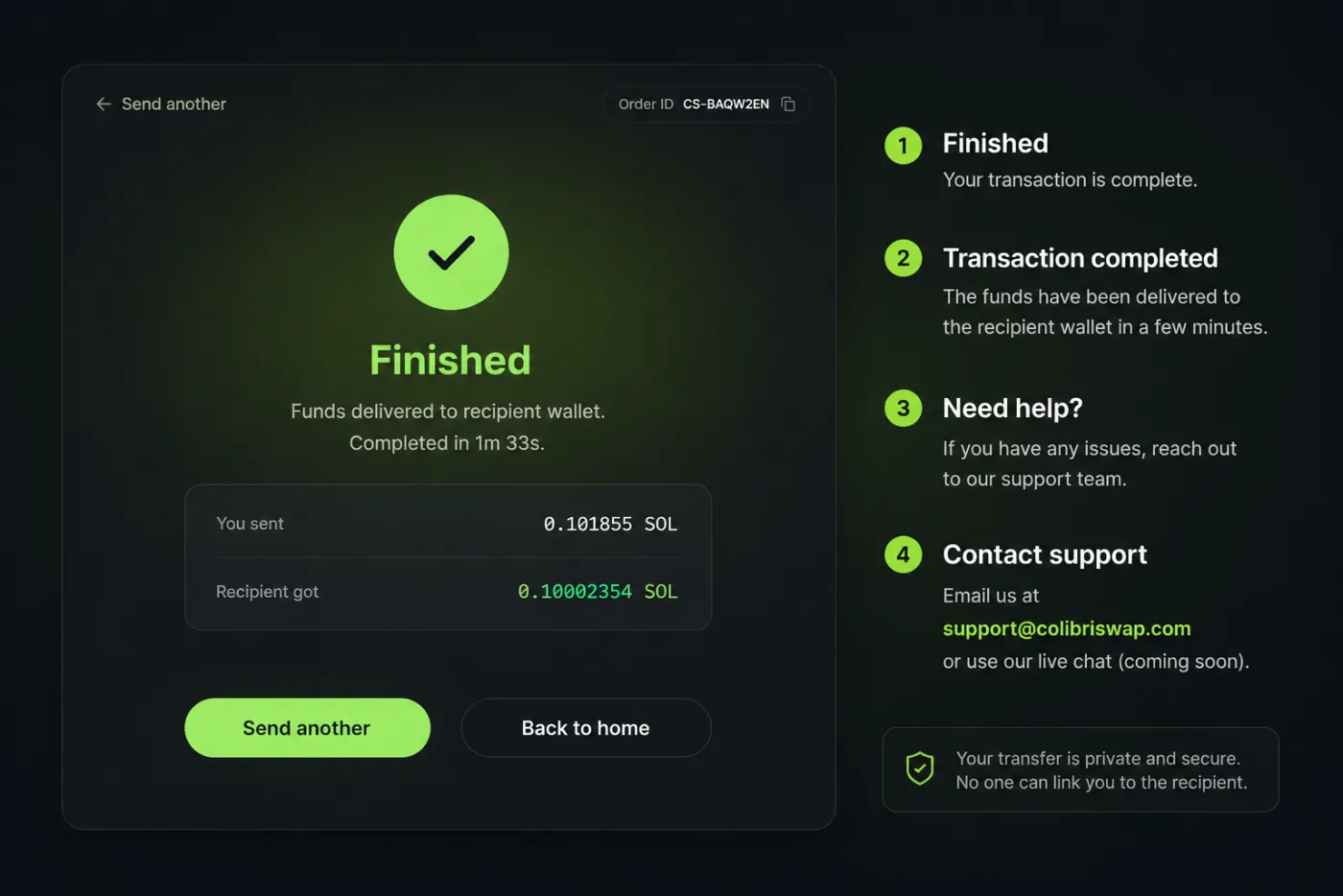
    When the transfer is complete, the Finished screen confirms that the funds were delivered to the recipient wallet. Use Send another to begin a new transfer, or Back to home to return to the main page.Step 4: Finished screen confirming funds were delivered to the recipient
Check the network carefully
The selected network must match the recipient's wallet address. Sending on the wrong network can result in lost funds. Always send the exact amount displayed — ColibriSwap calculates the deposit required to deliver the requested amount to the recipient.

Frequently asked questions

How long does a transfer take?

Most transfers are completed within 2–5 minutes, although timing can vary depending on blockchain confirmations and network conditions.

Do I need to connect my wallet?

No. You only need to send funds from your wallet to the deposit address generated by ColibriSwap.

Is KYC required?

No. ColibriSwap Private Send does not require KYC for standard transfers.

What happens if I send the wrong amount?

ColibriSwap calculates the amount the recipient will receive and converts the funds accordingly. For the smoothest processing, send the exact amount displayed on the deposit screen. A different amount may change the final amount received or require support assistance.

What should I do if I need help?

Contact support at support@colibriswap.com. Live chat support is coming soon.

Start sending crypto privately at colibriswap.com.

Ready to swap privately?

Try a private cross-chain swap on ColibriSwap — no wallet connect, no KYC, and no on-chain trace between sender and receiver.

Launch App